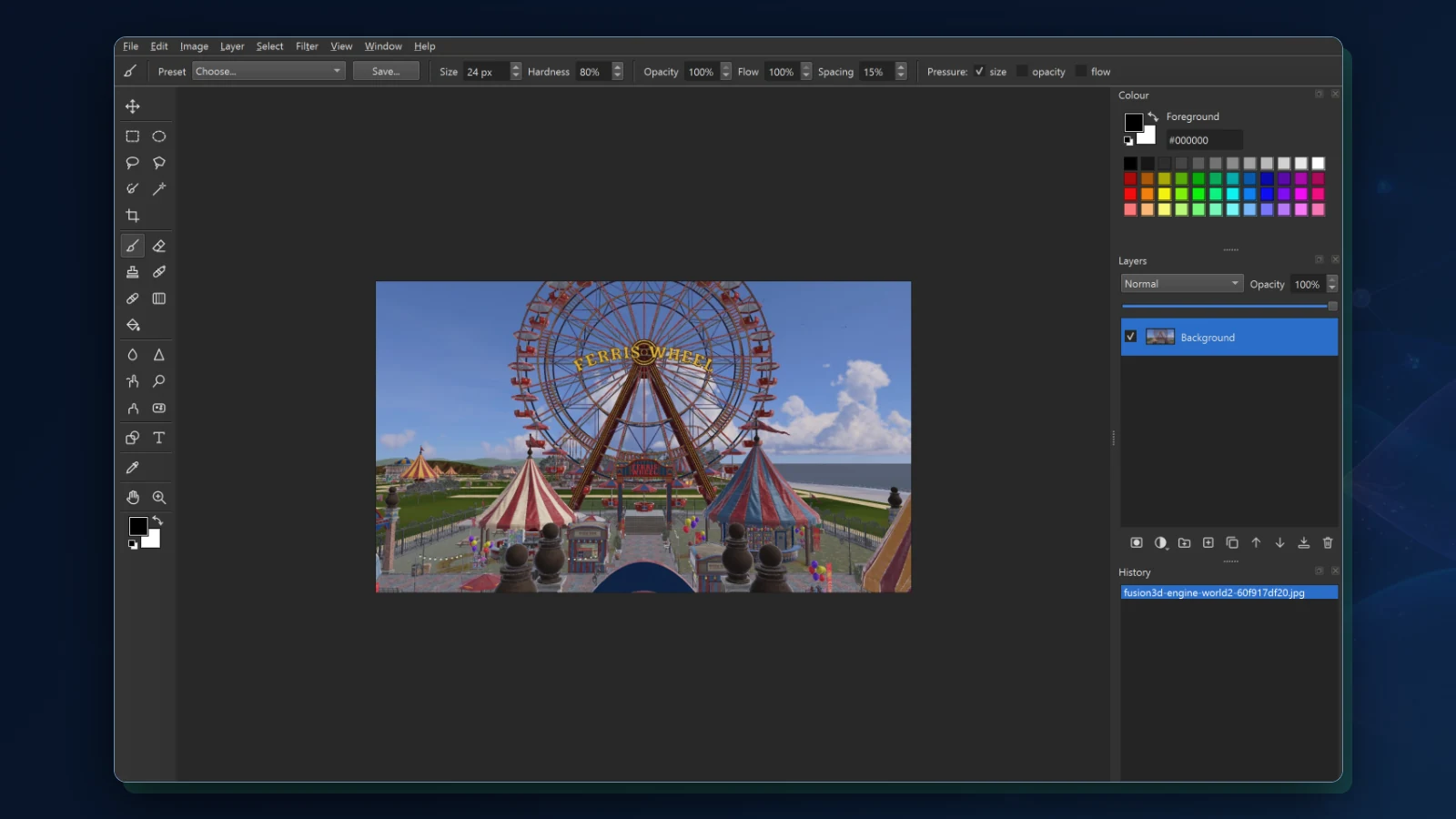
What Fusion Photo Studio brings together.
WHAT IT ENABLES
Layers, adjustments, selections, retouching, and type in one editor. Fusion Photo Studio is in development and has not been released: what is marked in development works in a development build on Windows, and what is marked planned is not built. The screen shown is that build’s own window.
Layers, masks, and blend modes
01 · IN DEVELOPMENTLayers with 26 blend modes, masks, groups, and clipping, and every step can be undone.
Adjustments
02 · IN DEVELOPMENTFourteen adjustments, among them Levels, Curves, Hue and Saturation, Exposure, Vibrance, Colour Balance, and Black and White, as layers you can change later or applied directly.
Selections
03 · IN DEVELOPMENTMarquees, lassos, a magic wand, quick selection, and selection by colour range, with feather, expand, and contract.
Retouching and painting
04 · IN DEVELOPMENTA pressure-sensitive brush with presets, clone stamp, healing, dodge, burn, sponge, blur, sharpen, and smudge, and a gradient tool.
Crop and transform
05 · IN DEVELOPMENTCrop and straighten, and scale, turn, skew, or change the perspective of a layer.
Shapes, text, and styles
06 · IN DEVELOPMENTShape and text layers that stay editable, text typed on the canvas, and layer styles: shadows, glow, stroke, and colour overlay.
Filters
07 · IN DEVELOPMENTEleven filters, among them Gaussian and motion blur, noise reduction, unsharp mask, smart sharpen, and vignette.
Files and colour
08 · IN DEVELOPMENTOpens PNG, JPEG, TIFF, and other common pictures, and brings in layered PSD files with a report of what was converted. Exports PNG, JPEG, TIFF, and BMP, and keeps colour profiles.
More to come
09 · PLANNEDSixteen-bit pictures, camera raw development, a pen tool, an installer, and versions for Fusion OS and Android.