Turn photos, clips and music into a story worth sharing.
CREATE / Fusion StoryFusion Story is Fusion’s story-video creator: pick a kind of story, add photos, clips and music, and it builds a first cut with chapters, gentle motion, music on the beat and captions, ready to shape and export for any screen, on Windows, Fusion OS and Android.Product overviewVisit fusionstory.cloud ↗
How it connects
Portfolio advantageFusion Story is built on Fusion Interact’s native timeline core and shares its export presets, and Fusion Interact is to open Fusion Story projects, so a story can grow into an interactive, staged or live presentation. Its assistance runs on the device: basic use needs no account, and nothing is uploaded to make a video.
What Fusion Story brings together.
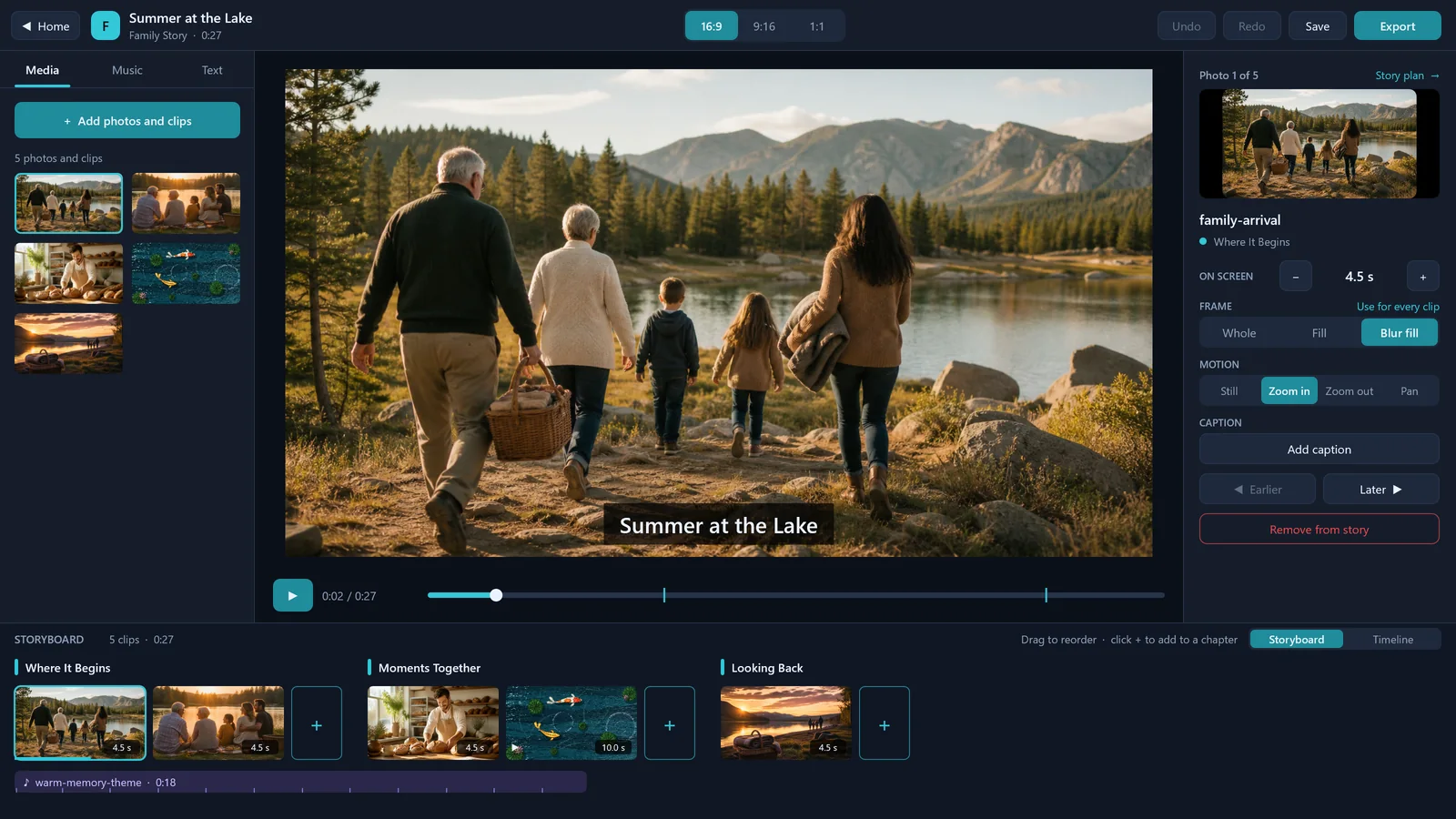
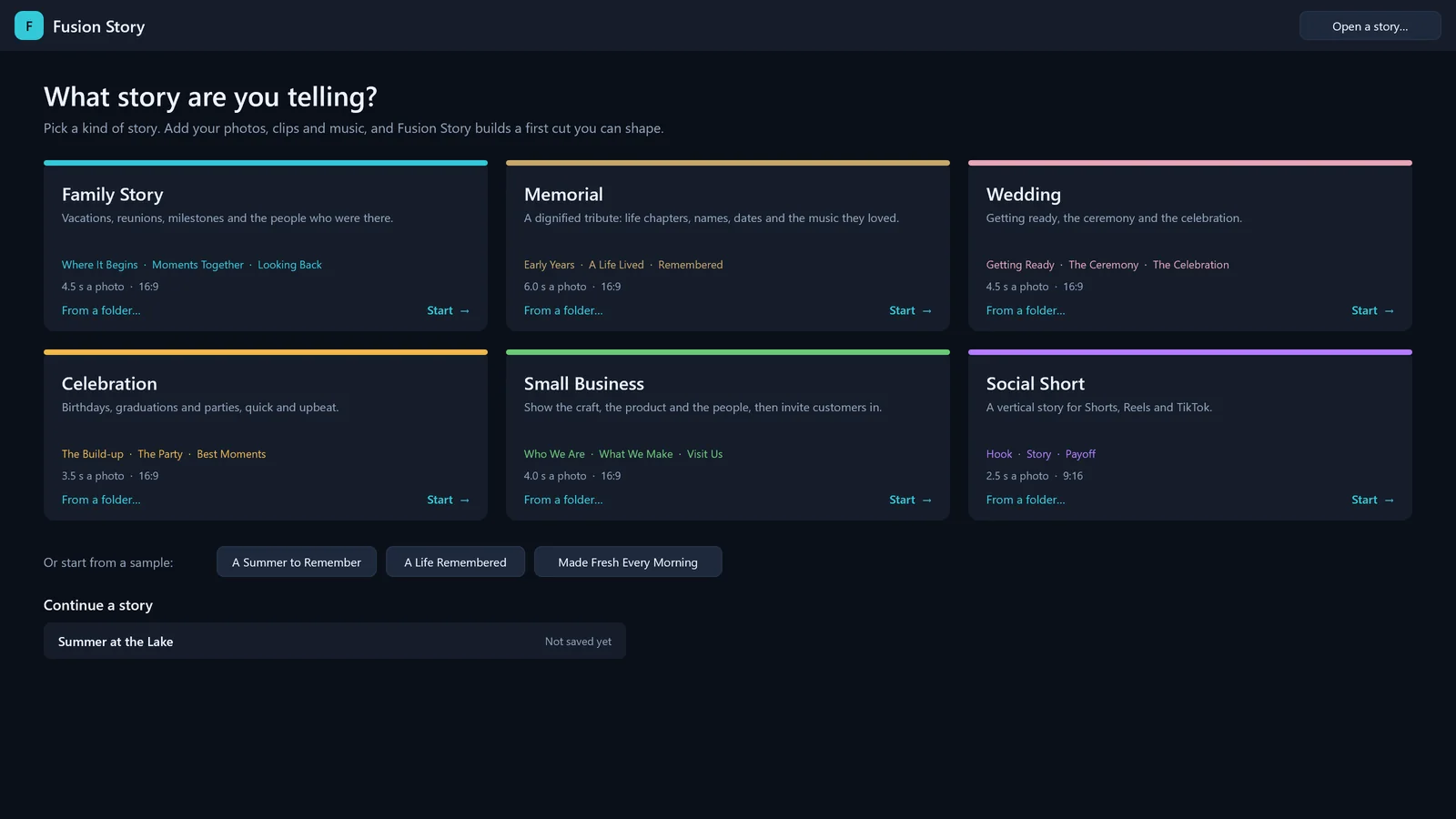
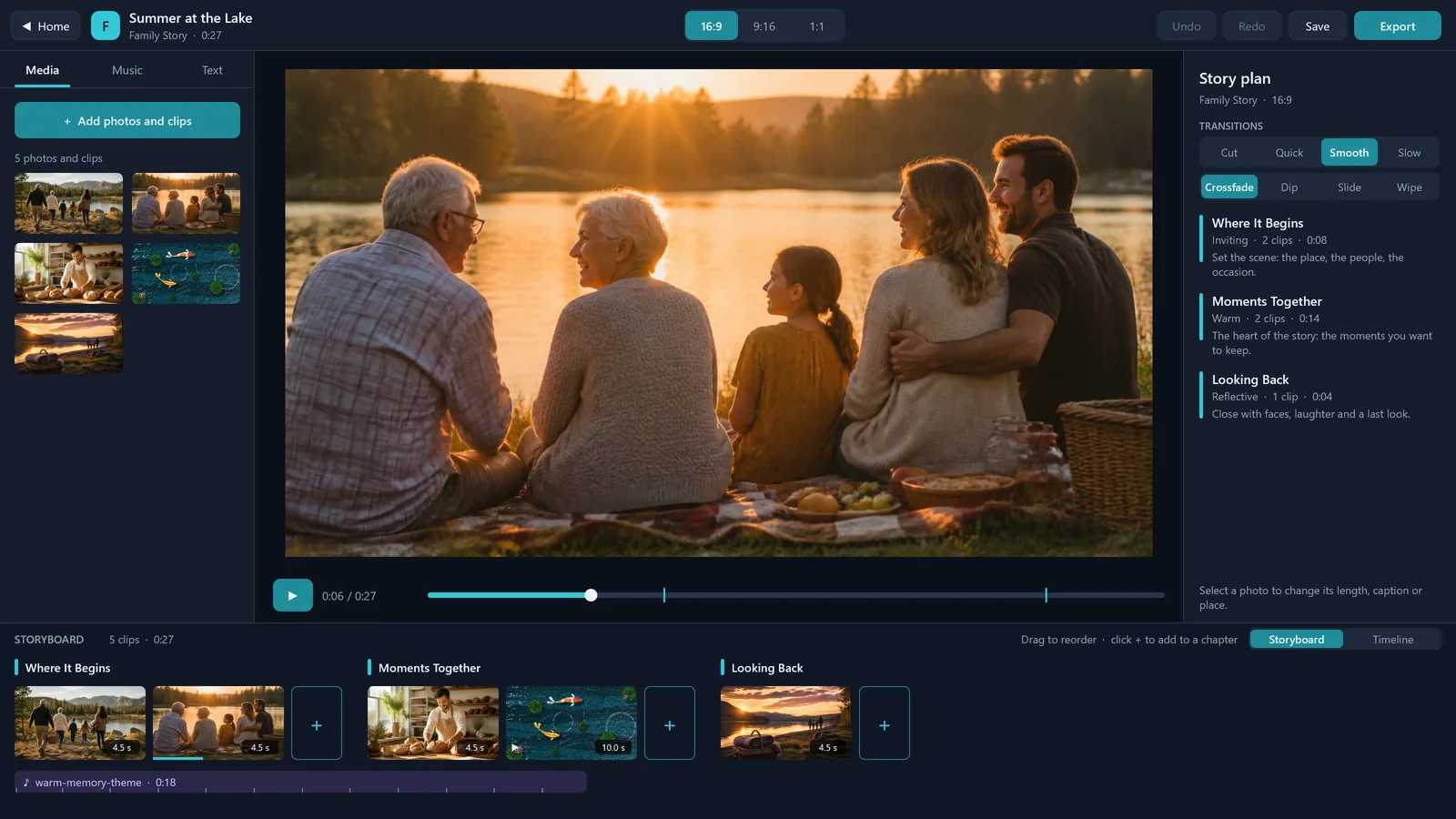
WHAT IT ENABLESSix kinds of story, a first cut in moments and the tools to shape it, in one edition. Fusion Story is in development: its editor runs in the development build on Windows, Fusion OS and Android, and every picture on this page is a screenshot of that build on Windows.
Six kinds of story
01 · IN DEVELOPMENTFamily stories, memorials, weddings, celebrations, small businesses and social shorts, each with its own chapters, pace and shape.
A first cut in moments
02 · IN DEVELOPMENTAdd photos, clips and music, or a whole folder: Fusion Story puts them in the order they were taken, starts chapters at the gaps in time, adds a title and fits the music.
Photos that move
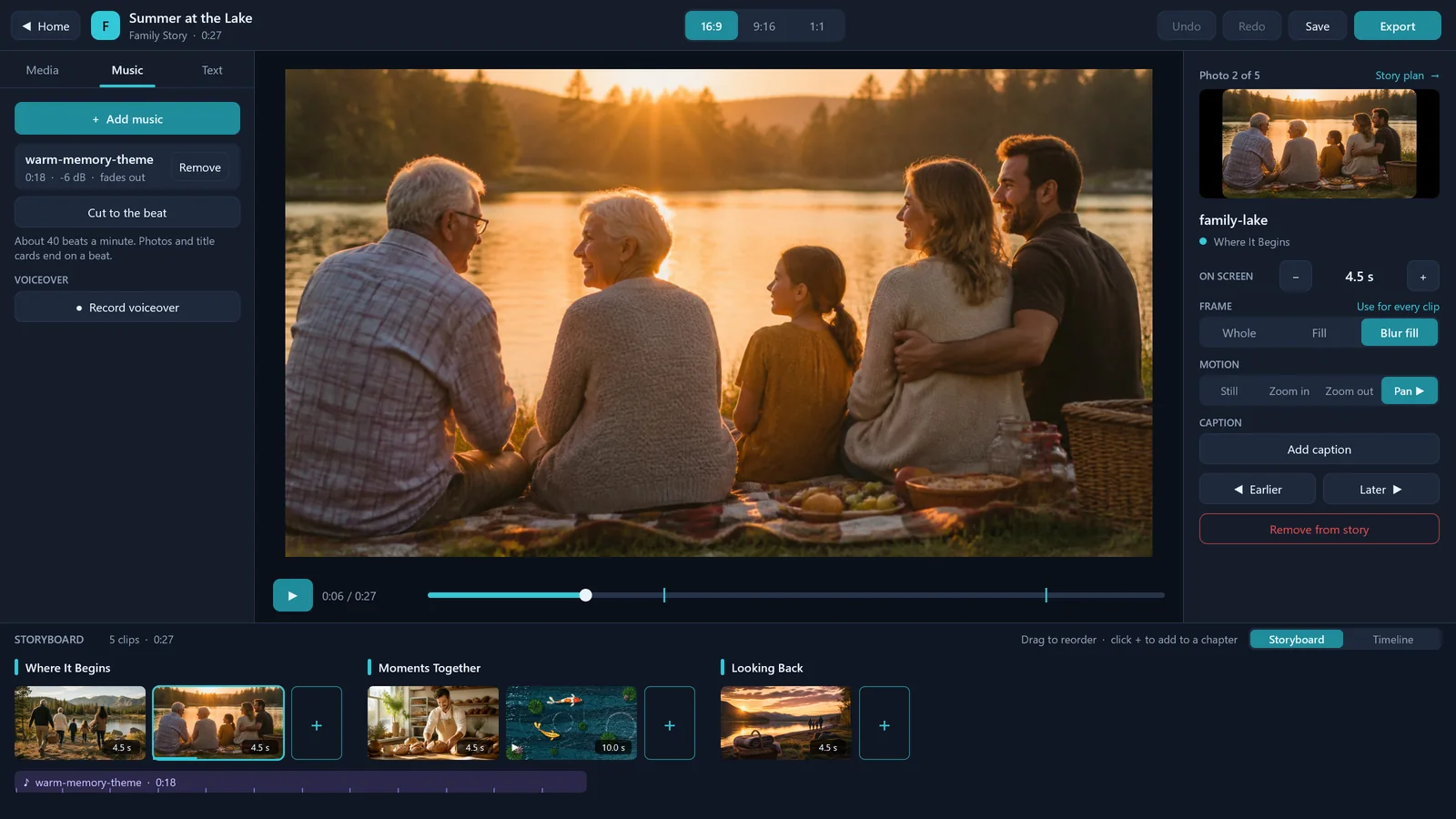
03 · IN DEVELOPMENTGentle zooms and pans on every photo, and crossfades, dips to black, slides and wipes between clips, the same in the preview and the video.
Music and voice
04 · IN DEVELOPMENTPhotos cut on the beat of the song. Record a voiceover from the playhead, and the music dips under the voice.
Captions from speech
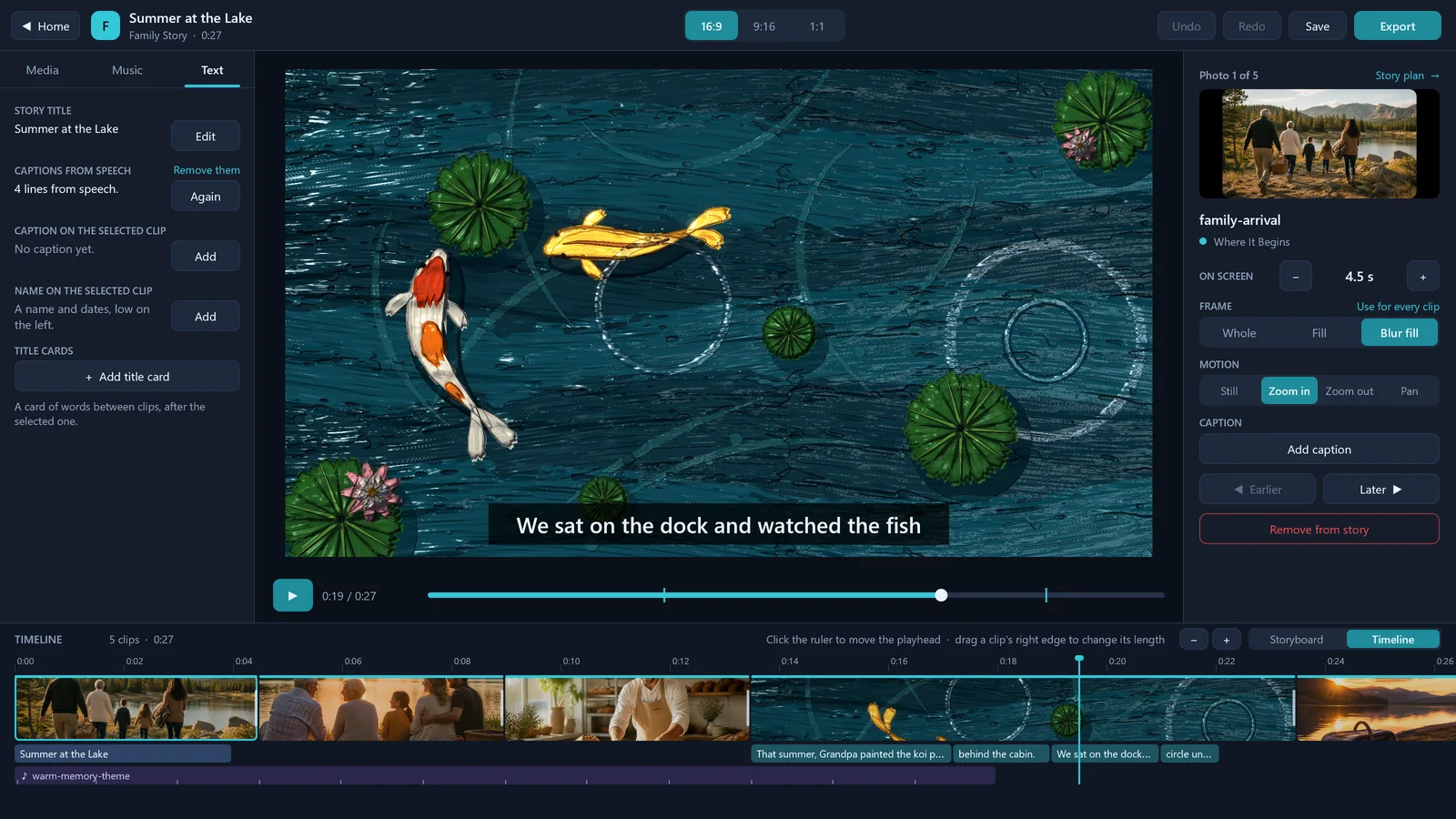
05 · IN DEVELOPMENTSpeech in clips and voiceovers becomes captions on the device, in the language spoken, with every line editable. Caption styles, title cards and names too.
Storyboard or timeline
06 · IN DEVELOPMENTDrag clips into order on the storyboard, chapter by chapter, or work on a timeline in proportion to time, with lanes for words, voice and music. Every edit can be undone.
One story, every shape
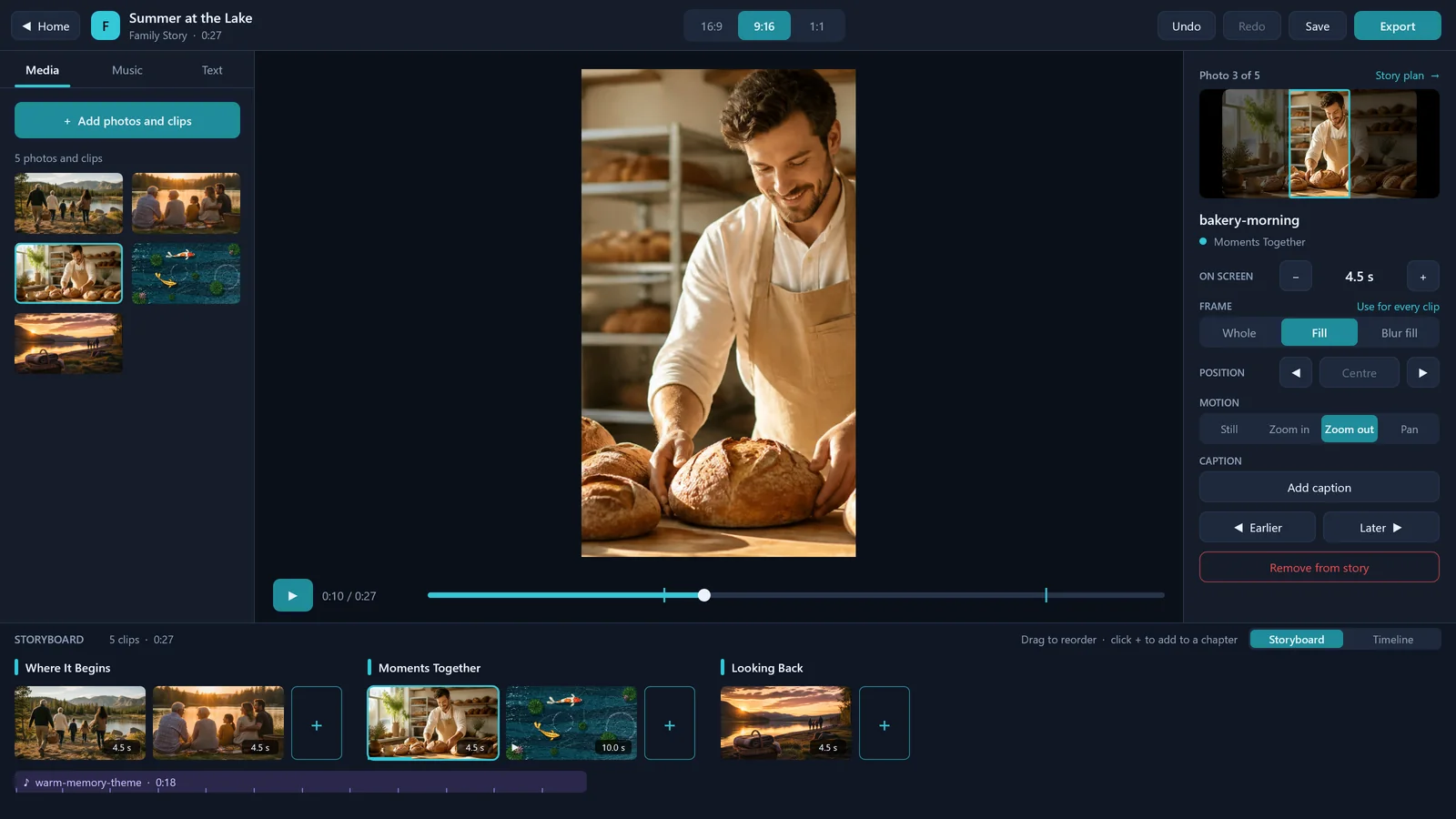
07 · IN DEVELOPMENTSwitch between 16:9, 9:16 and 1:1. A photo that does not fit is shown over a blurred copy of itself, or cropped and reframed to keep its subject in view.
Export for every screen
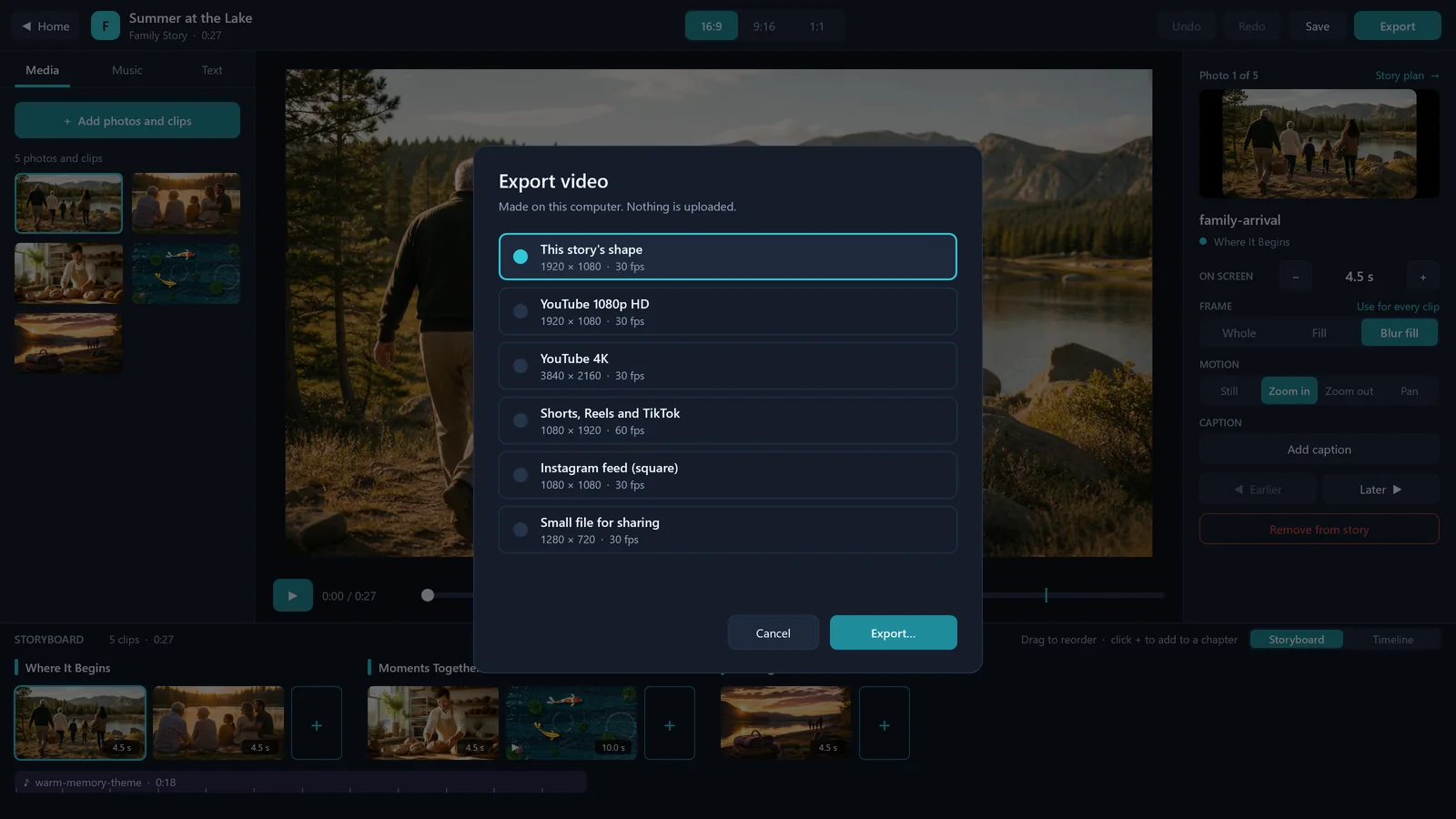
08 · IN DEVELOPMENTYouTube in HD or 4K, Shorts, Reels and TikTok, the Instagram feed or a small file to share, made on the device as an MP4.
Continue in Fusion Interact
09 · PLANNEDOpen a Fusion Story project in Fusion Interact to make it an interactive, staged or live presentation.
See Fusion Story at work.
REAL SCREENSHOTSA tour of Fusion Story’s development build on Windows, rendered frame by frame by the app itself, then six of its screens. The demo story uses the sample pictures that come with Fusion Story, a koi pond painted in Fusion Canvas and a narration made for the demo.
CREATEFusion Story is built on Fusion Interact’s native core, and Fusion Interact is to open Fusion Story projects for interactive, staged and live presentations.Explore Fusion Interact
Fusion Canvas
CREATEPaint and animate with real materials, and bring the animation into a story as a clip, as the koi pond on this page.Explore Fusion Canvas
Fusion OS
BUILDFusion Story runs as a Fusion OS application, with the same interface as on Windows and Android.Explore Fusion OS
Explore Fusion Story.
See the product in action, then continue through the broader Fusion portfolio.Visit fusionstory.cloud ↗Fusion Software LLC · 2026Fusion Story