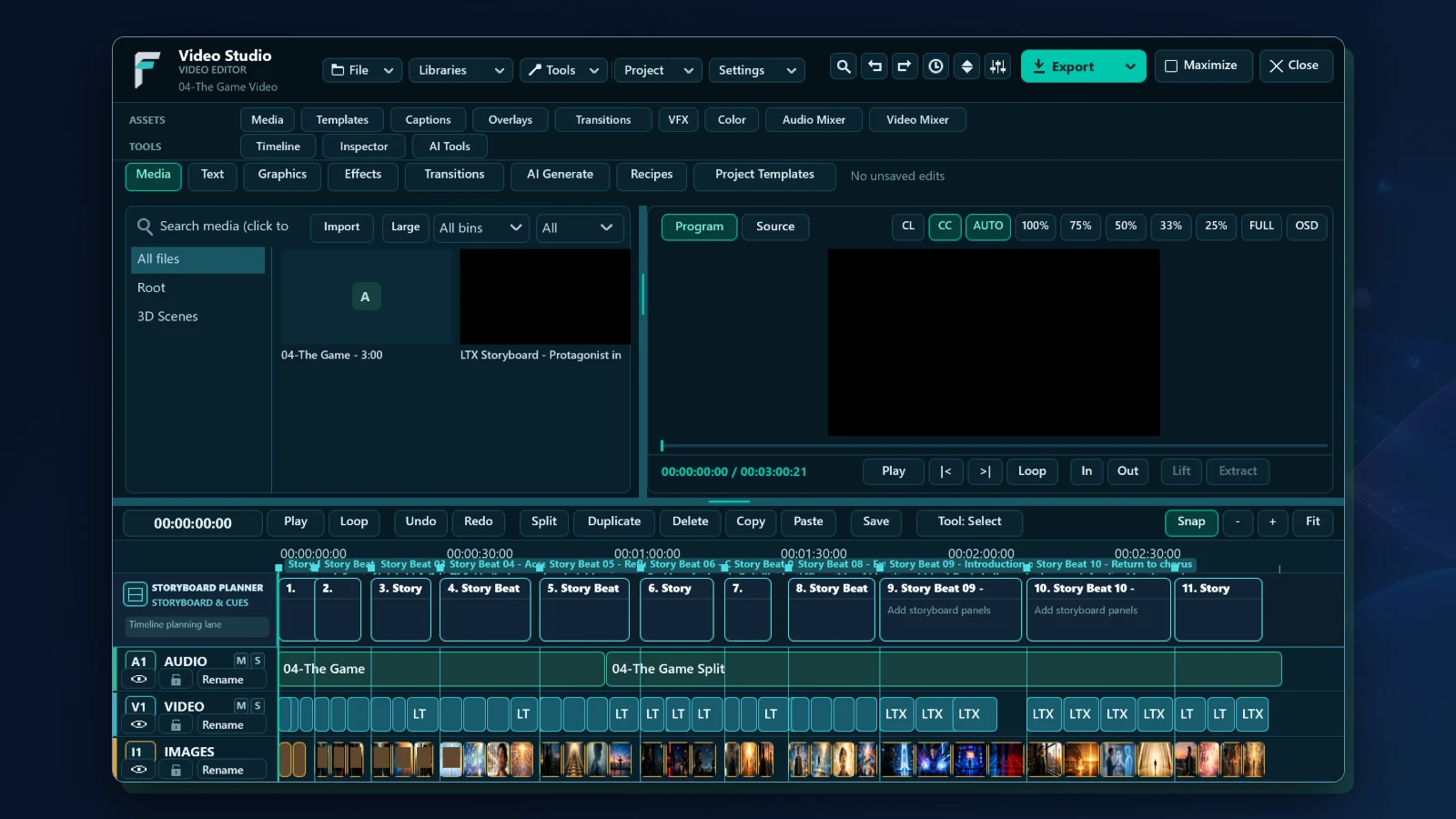
What Fusion Video Studio brings together.
WHAT IT ENABLES
Cutting, trimming, picture, sound, and delivery in one editor. Fusion Video Studio is in development and has not been released: what is marked in development works in a development build on Windows, and what is marked planned is not built. The screen shown is that build’s own window, open on a music video.
A multitrack timeline
01 · IN DEVELOPMENTMove, trim, split, and ripple-delete clips on video and audio tracks, with groups, snapping, and markers.
Trim tools
02 · IN DEVELOPMENTSelection, ripple, roll, slip, and slide: the five ways editors adjust a cut without rebuilding it.
Monitors and three-point editing
03 · IN DEVELOPMENTA source monitor and a program monitor, in and out marks, insert, overwrite, lift, extract, match frame, and track targets, with SMPTE timecode and drop frame.
Multicam
04 · IN DEVELOPMENTSee the angles side by side and click to cut to one at the playhead.
Picture and sound
05 · IN DEVELOPMENTTransitions, keyframes, effects, colour grading, masks, speed ramps, adjustment layers, and nested sequences; volume, pan, fades, automation, ducking, and noise reduction.
Titles, captions, and export
06 · IN DEVELOPMENTTitles and captions on the timeline, video and audio export from presets, subtitles as SRT and WebVTT, and chapters from markers.
Timelines to and from other editors
07 · IN DEVELOPMENTImport and export a timeline as an EDL (CMX 3600), FCP 7 XML, FCPXML, or OpenTimelineIO. These are tested against Fusion Video Studio’s own files and have not yet been exchanged with other editors.
3D overlays and storyboards
08 · PLANNEDPlace and time 3D overlays drawn by Fusion 3D Engine, and generate and rework storyboards through Fusion AI.
An assistant, and more systems
09 · PLANNEDAn assistant that works with the AI service each person chooses, an installer, and versions for Fusion OS and Android.