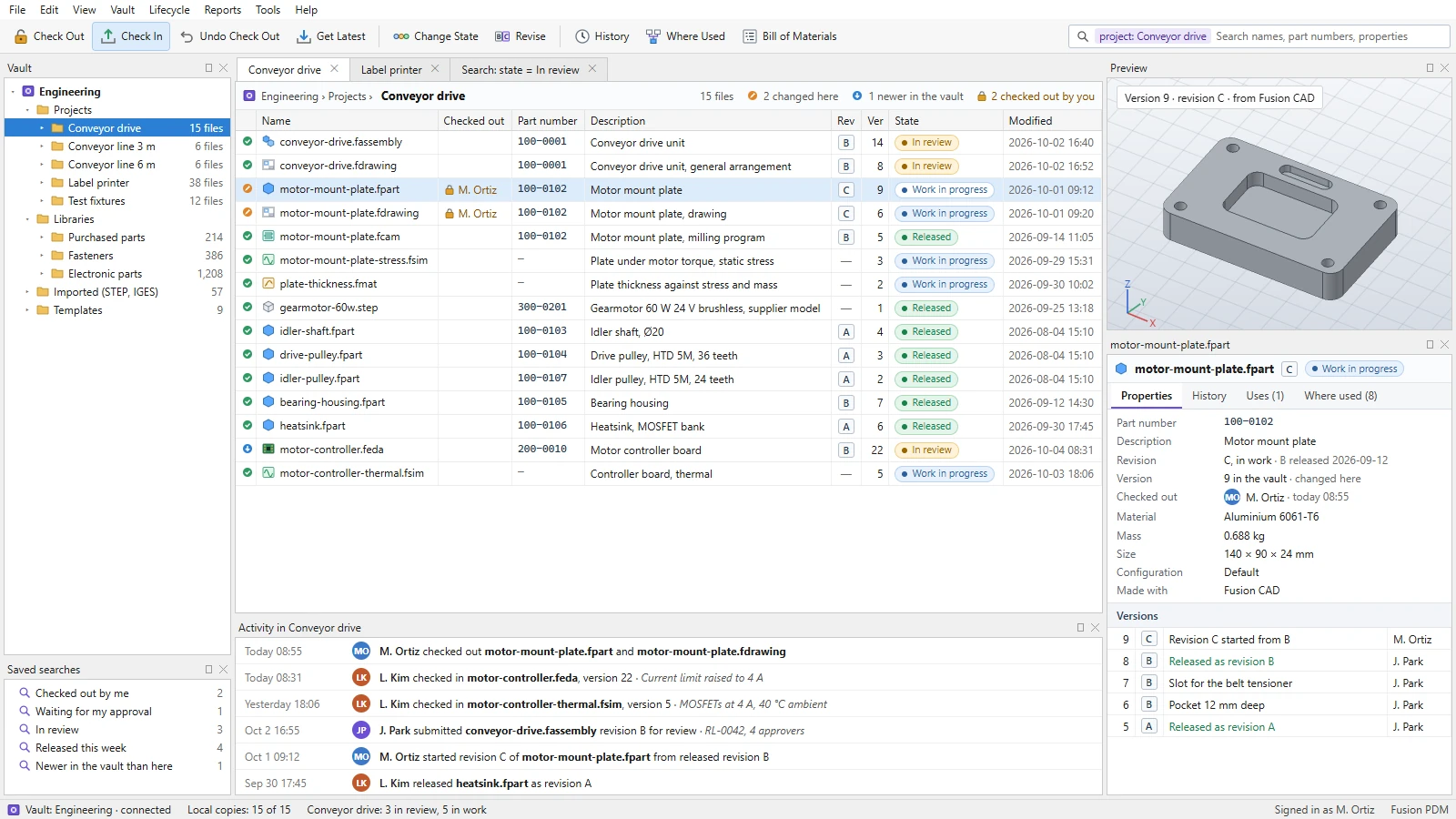
What Fusion PDM brings together.
WHAT IT ENABLES
Every engineering file, its versions, its references, and its release stay in one place. Fusion PDM is in development: its core, a vault, a command line, and a window of its own, already works with the files of all five Fusion engineering products, the rest is planned, and the screens shown are design mockups with illustrative data.
One vault for the engineering suite
01 · IN DEVELOPMENTFusion CAD parts, assemblies, and drawings, Fusion SIM studies and circuits, Fusion MAT projects, Fusion CAM programs, Fusion EDA boards, schematics, and libraries, and the STEP, IGES, IDF, and SPICE files they use.
Check-out and check-in
02 · IN DEVELOPMENTOne person changes a file at a time. Others see who has it out and can still open it read-only.
Every version kept
03 · IN DEVELOPMENTEach check-in adds a version with its comment, author, and time, and any two versions can be compared: properties, configurations, components, and references. Comparing them by Fusion CAD’s names for faces and edges is planned.
Where used, at every level
04 · IN DEVELOPMENTEach file’s references, reported by the products themselves, show everything a change touches. When a file is renamed or moved, each product updates its own references to it.
Lifecycle and release
05 · IN DEVELOPMENTWork in progress, in review, released, and obsolete, approved by the people each release names, with checks before and after review. A release can wait for a role, any of whose members approves, and permissions on folders say who may read, check out, submit, approve, and release.
Revisions
06 · IN DEVELOPMENTRevision letters given at release, with released files kept read-only.
One bill of materials
07 · IN DEVELOPMENTFusion CAD assemblies and Fusion EDA boards in one bill of materials as designed, compared by revision and exported as CSV.
Search
08 · IN DEVELOPMENTFind files by name, part number, description, property, and state. Keeping searches to run again is planned.
Growing into PLM
09 · PLANNEDLater: change requests and change orders, manufacturing bills of materials, suppliers, quality records, compliance, and service, on the same data.