ENGINEERING / Fusion CAMFusion CAM is Fusion’s computer-aided manufacturing (CAM) product: toolpaths, tool libraries, post-processors, and machine simulation for parts designed in Fusion CAD, built in C++ for Windows and Fusion OS.Product overviewVisit fusioncam.cloud ↗
How it connects
Portfolio advantageFusion CAM is a product of its own, not a Fusion CAD add-on. It reads Fusion CAD parts through a recorded connection: the exact solid, each face’s stable name, the material, and a digest of the part file. Toolpaths hold on to named faces and edges, so they follow the part when the design changes, and Fusion CAM knows when a part has changed.
What Fusion CAM brings together.
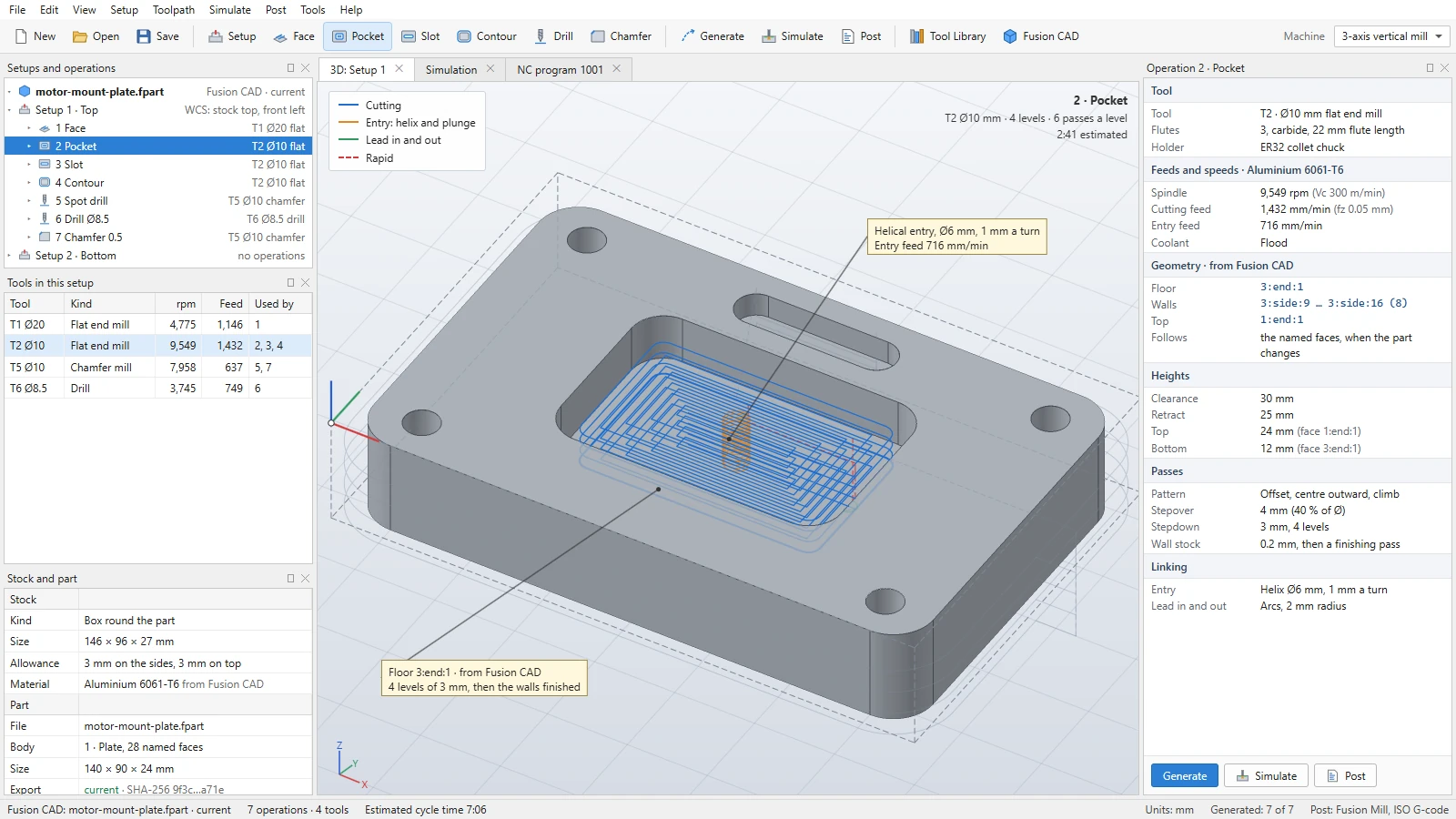
WHAT IT ENABLESParts, tools, toolpaths, and the G-code that runs them stay connected to the design they came from. Fusion CAM is in development: reading Fusion CAD parts is being built now, the rest is planned, and the screens shown are design mockups with illustrative data.
Parts from Fusion CAD
01 · IN DEVELOPMENTFusion CAM opens Fusion CAD parts through Fusion CAD’s own program and checks the solid against its description. The development build already does this, and it tells when a part file has changed.
Toolpaths that follow the design
02 · PLANNEDToolpaths hold on to the named faces and edges they machine, so they follow the part when the design changes instead of starting over.
2.5-axis milling
03 · PLANNEDFacing, pockets, contours, slots, and drilling cycles on the flat-floored features of a part.
A tool library
04 · PLANNEDFlat, ball, and bull end mills, drills, and chamfer mills for milling and drilling, kept in one tool library.
Feeds and speeds per material
05 · PLANNEDEach tool in the library carries feeds and speeds for each material, and a part’s material comes with it from Fusion CAD.
G-code from Fusion’s own post-processor
06 · PLANNEDPost-process toolpaths to G-code with Fusion’s own post-processor, starting with one common controller so that others can follow.
Simulated stock removal
07 · PLANNEDSimulate the cutter removing stock, drawn by Fusion 3D Engine, before a program reaches the machine.
More ways to machine
08 · PLANNEDLater: adaptive clearing, 3-axis surface finishing, turning, 4- and 5-axis machining, machine kinematics and collision checks, and probing.
A product of its own
09 · PLANNEDFusion CAM is sold as its own product, not as a Fusion CAD add-on, and is licensed through Fusion’s license files like Fusion’s other installed products.
ENGINEERINGDesign mechanical parts and assemblies with sketches, parametric features, editable history, and joints.Explore Fusion CAD
Fusion SIM
ENGINEERINGStudy how designs behave with a Systems base edition and modules for electronics, structural, thermal, motion, fluids, and more.Explore Fusion SIM
Fusion 3D Engine
CREATEInteractive worlds, models, and simulations rendered by Fusion’s core 3D engine.Explore Fusion 3D Engine
Explore Fusion CAM.
See the product in action, then continue through the broader Fusion portfolio.Visit fusioncam.cloud ↗Fusion Software LLC · 2026Fusion CAM