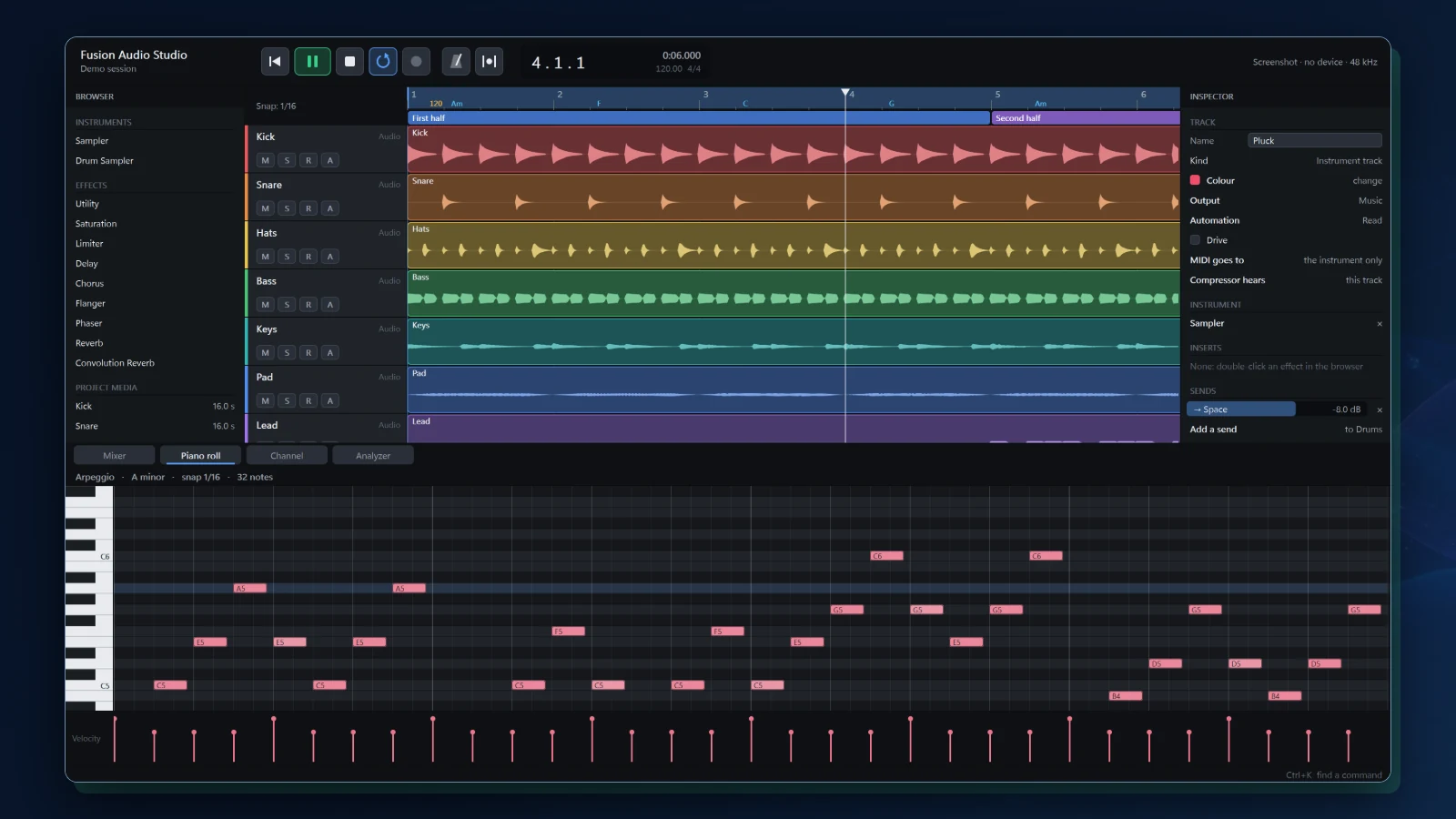
What Fusion Audio Studio brings together.
WHAT IT ENABLES
Tracks, takes, notes, effects, and the final mix in one window. Fusion Audio Studio is in development and has not been released: what is marked in development works in a development build on Windows, and what is marked planned is not built. The screen shown is that build’s own picture of its demo session.
Tracks and a mixer
01 · IN DEVELOPMENTAudio, instrument, bus, folder, group, and master tracks, with sends before or after the fader, meters, and delay compensation for plug-ins.
A channel strip on every channel
02 · IN DEVELOPMENTA high-pass filter, gate, four-band equalizer, compressor with sidechain, and drive, built into each channel.
Plug-ins and Fusion’s own devices
03 · IN DEVELOPMENTHosts VST3 and CLAP instruments and effects, scanned in a separate process. Fusion’s own devices include a limiter, delay, chorus, reverb and convolution reverb, a sampler, a 16-pad drum sampler, a spectrum analyzer, and a tuner.
Recording and takes
04 · IN DEVELOPMENTRecord takes, build the best one from take lanes for audio and MIDI, punch in, and keep the last minute you played even when you were not recording.
Notes, tempo, and chords
05 · IN DEVELOPMENTA piano roll with scale highlighting and chord stamps, automation, a tempo map, a key and chord track, arranger sections, and audio that follows the tempo.
Loudness and delivery
06 · IN DEVELOPMENTA loudness meter on the master to EBU R128, with true peak. Mix down or export stems as WAV or FLAC, and MP3 or M4A through Windows.
Files in and out
07 · IN DEVELOPMENTWAV, AIFF, FLAC, MP3, AAC, and MIDI files come in. DAWproject import and export are built and have not yet been checked against another workstation’s files.
Keeps your work
08 · IN DEVELOPMENTAutosave, recovery after a crash, snapshots, and a command palette to find any command.
More to come
09 · PLANNEDA clip launcher, modulators, surround, control surfaces, an assistant, an installer, and versions for Fusion OS and Android.