Virtual drives that make advanced storage feel native.
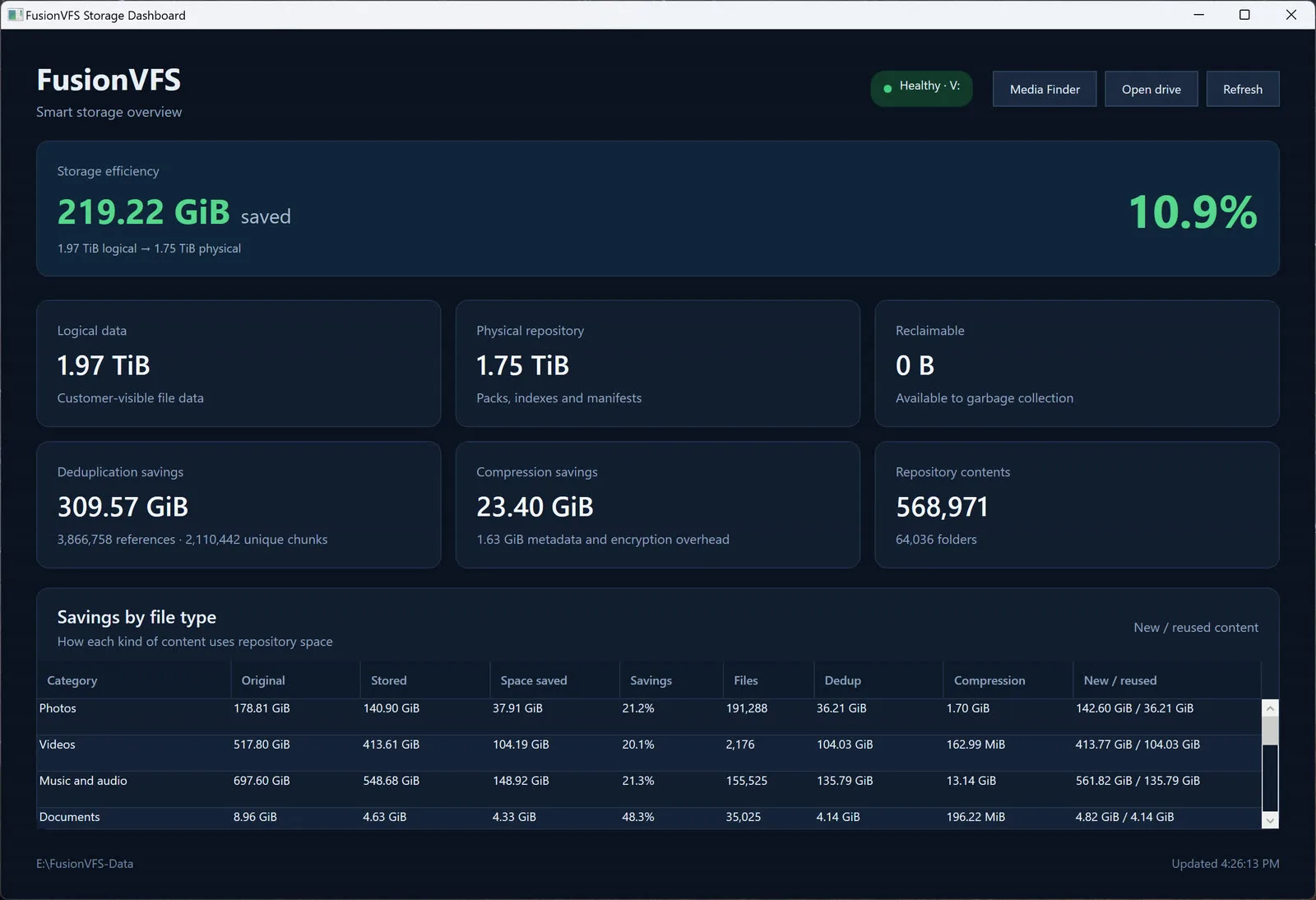
PROTECT / Fusion VFSFusion VFS (Virtual File System) integrates transparent virtual drives into the Windows file browser, letting files and applications use Fusion’s proprietary high-speed compression and deduplication storage algorithms through familiar operating-system workflows.Product overviewAll products
How it connects
Portfolio advantageShared content identity, compression, deduplication, integrity, recovery, and transfer capabilities connect Fusion VFS with VaultX, Vault Backup, and Fusion OS without forcing them into one oversized application.
What Fusion VFS brings together.
WHAT IT ENABLESTransparent virtual drives bring proprietary high-speed compression, deduplication, integrity, versions, and recovery into familiar Windows file workflows.
Fusion VFS for Windows
01Add virtual drives that appear and behave within the familiar Windows file browser while Fusion manages the storage architecture underneath.
Transparent to files and applications
02Browse folders, open files, save work, and use existing applications through normal operating-system file interactions instead of learning a separate storage portal.
Proprietary compression and deduplication
03Increase effective capacity by selecting and combining advanced content-aware compression and exact deduplication algorithms according to the data and workload.
Up to 1,000 MB/s and beyond
04High-throughput read and write paths can reach 1,000 MB/s or more when the storage media, interface, host, data characteristics, and selected compression and deduplication strategy support it.
Portable provider architecture
05Keep the file experience and storage contracts stable through a provider architecture designed to connect operating-system file services without changing how applications use their data.
Storage intelligence beneath normal files
06Preserve normal files, folders, and application behavior while content identity, integrity, versions, replicas, placement, and recovery operate below the file browser.
Connected Fusion storage
07Use the same storage foundations with VaultX, Vault Backup, Vault Cloud Storage, Fusion FTP, Engage Mail Server, Fusion FCA archives, and Fusion OS.
More effective space at high speed
08Reduce repeated data and storage overhead to increase effective capacity while preserving fast access, parallel work, integrity checks, and predictable recovery.