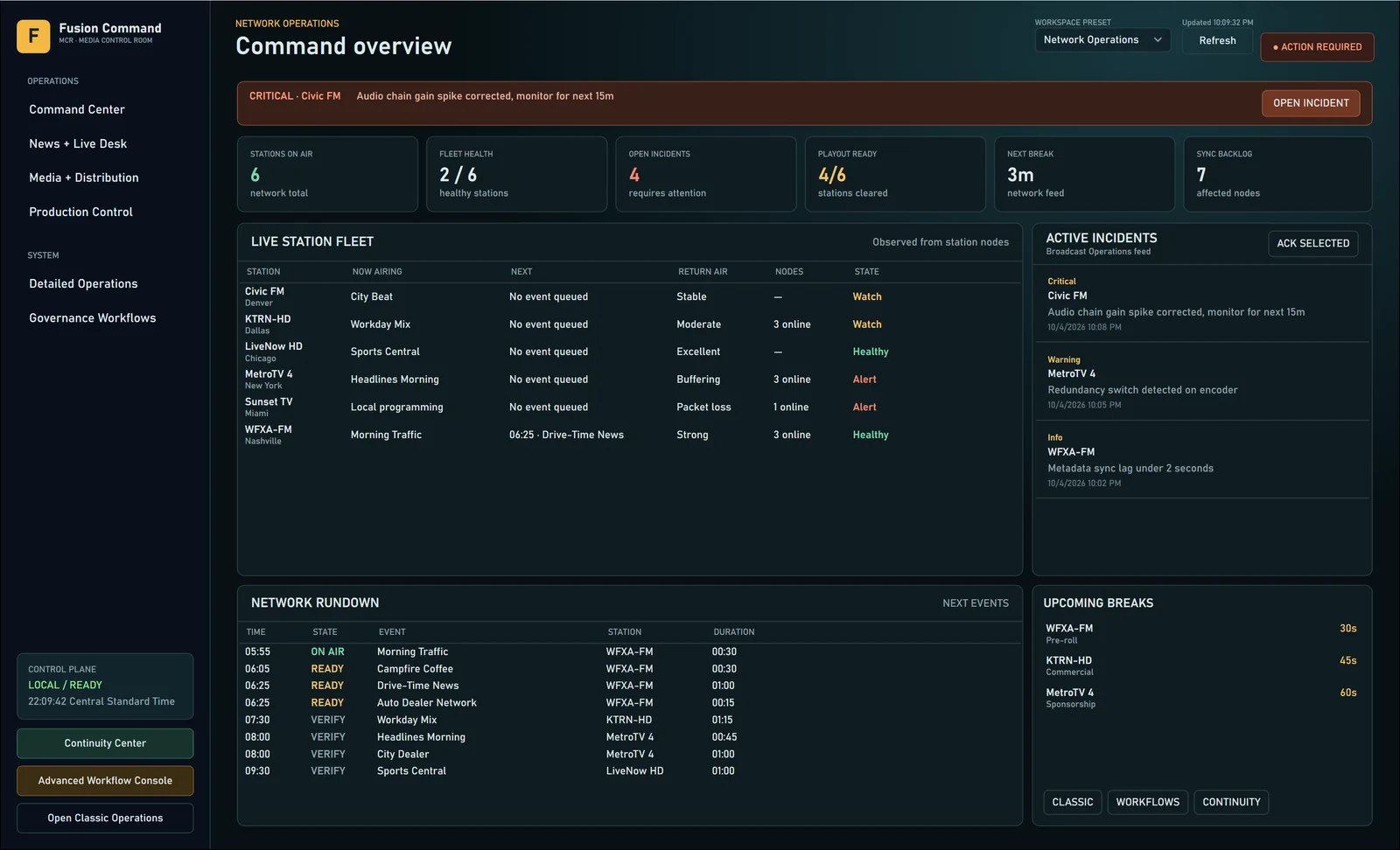
Coordinate stations, channels, news, schedules, and campaigns from one operational view.
OPERATE / Command MCRCommand MCR (Media Control Room) gives radio, television, video, and cross-channel teams a connected control surface for station health, schedules, campaigns, newsdesk work, verification, and media integrations.Product overviewAll products
How it connects
Portfolio advantageShared identity, documents, communications, workflows, automation, and evidence connect Command MCR with Command CRM and Vault Asset Manager without forcing them into one oversized application.
What Command MCR brings together.
WHAT IT ENABLESStations, channels, schedules, campaigns, newsdesk verification, health, and broadcast integrations remain visible in one operational surface.
Multi-station operations
01Monitor radio stations, television channels, streams, local nodes, and current operating state together.
Daily schedule board
02Coordinate programs, breaks, inventory, changes, and timing across channels without losing local context.
Cross-channel campaigns
03Plan and track media campaigns across radio, television, video, digital, and connected audience experiences.
Newsdesk and verification
04Manage story priority, readiness, assignments, source checks, verification history, and compliance evidence.
Station health and alerts
05Connect service health, node state, latency, missing content, and break-cadence warnings to accountable follow-up.
Broadcast integration hub
06Use explicit adapters for playout, traffic, scheduling, automation, and provider systems while keeping each source authoritative.
Connected operations
07Link Command CRM workflows, Engage communications, and Vault Asset Manager media to the broadcast day.
Broadcast graphics
08Queue lower thirds, tickers, bugs, clocks, and alert graphics for a station. Station nodes render them natively and report every job back to the control room.
Continuity and recovery
09Check every operations store, create verified backups with cryptographic manifests, and keep retention under control from the Continuity Center.