UNDERSTAND / Fusion GISFusion GIS is Fusion’s geographic information system (GIS) for maps: a map-data server and a reusable spatial library, built in C++, that store geographic features, index them, serve them as map tiles, and answer searches by area, by distance, and by name. It is in development, with a public preview at fusiondiscover.com/maps.Product overviewVisit fusiondiscover.com ↗All products
How it connects
Portfolio advantageFusion GIS’s first connection is to Fusion Search Engine, the server behind Fusion Discover, so that a search can be narrowed to a place. Its public preview is hosted by Fusion Internet Services. Today’s map runs in a browser; a native map view in a Fusion application would be drawn by Fusion 3D Engine.
What Fusion GIS brings together.
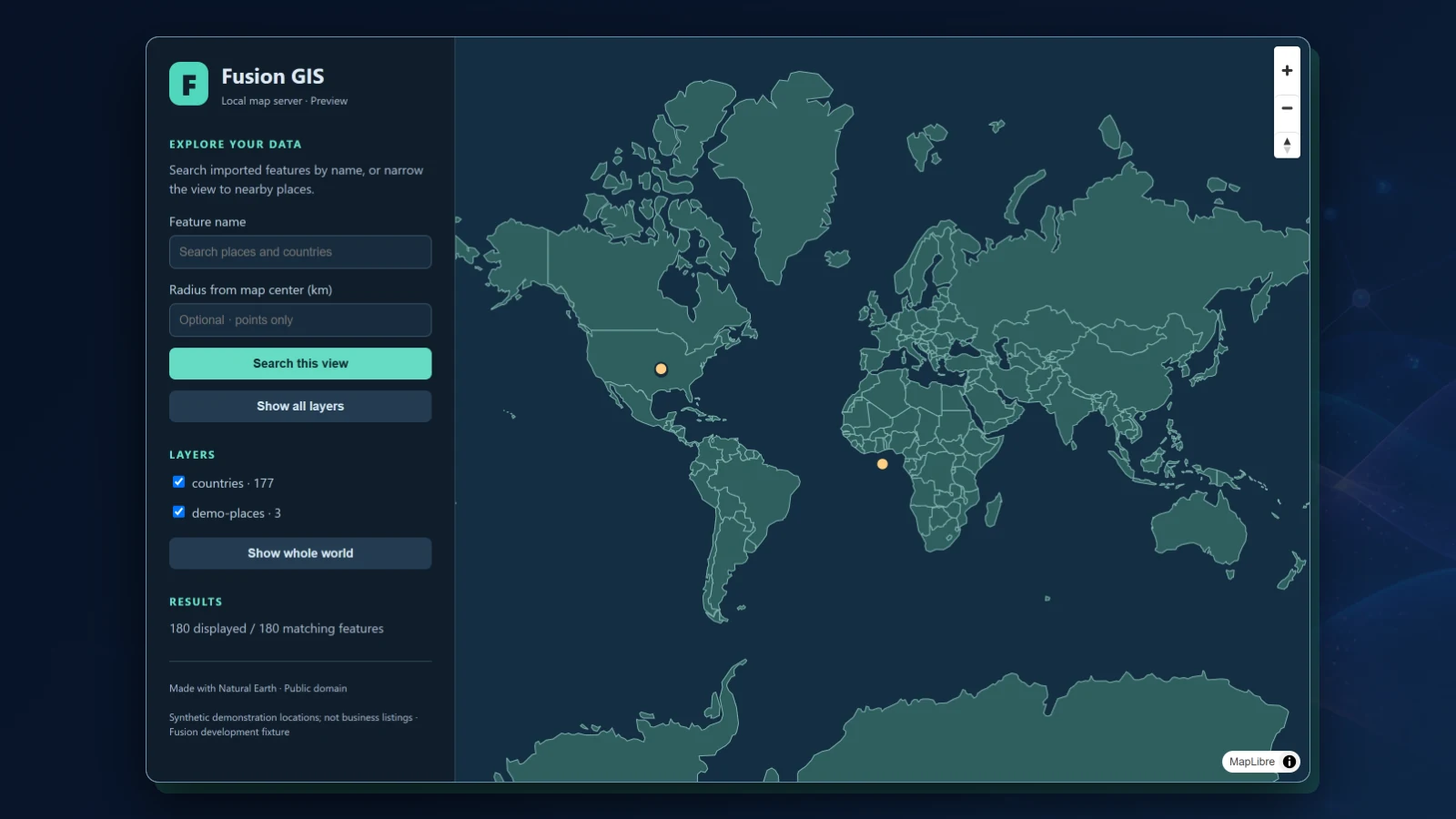
WHAT IT ENABLESGeographic features, the record of where each layer came from, and the searches asked of them, on one server. Fusion GIS is in development and has not been released: the public preview is a regional preview, not a map of the whole planet in detail, and what is marked planned is not built. The screen shown is an earlier development build’s preview, with Natural Earth country outlines and three made-up demonstration points.
A map-data server
01 · IN DEVELOPMENTA C++ server and a reusable spatial library keep points, lines, and areas in a local database with a spatial index, and answer over HTTP. The build is tested on Windows; builds for Fusion OS have not been qualified yet.
GeoJSON layers
02 · IN DEVELOPMENTBring data in as GeoJSON layers of points, lines, and areas. Importing a layer again replaces it in one step, and when a file fails its checks the layer already there stays as it was.
Search by area, distance, and name
03 · IN DEVELOPMENTAsk for what lies inside a rectangle on the map, for the points within a distance of a place, nearest first, or for features whose name contains a word. Lines and areas are matched by their bounding boxes for now.
Every layer keeps its source
04 · IN DEVELOPMENTEach layer records where its data came from, its license, its attribution, and its release, and lists them beside its feature count and its extent.
Map tiles from its own server
05 · IN DEVELOPMENTFusion GIS cuts its layers into vector map tiles itself, so a map loads only what the current view needs: countries first, then places and roads, then addresses as you zoom in.
A public preview
06 · RUNNING TODAYA regional preview runs at fusiondiscover.com/maps, hosted by Fusion Internet Services. It serves public map data read-only, with no accounts and no private data.
Places for Fusion Search Engine
07 · IN DEVELOPMENTFusion Search Engine asks Fusion GIS for the listings in an area. A listing with no location stays without one, and a publisher’s coordinates are treated as unverified.
From an address to a place
08 · IN DEVELOPMENTMatching an address to a place uses reference data imported onto the server, and keeps doubtful matches for a person to review rather than guessing.
Exact shapes and a native map
09 · PLANNEDExact searches of lines and areas, builds for Fusion OS, sign-in and permissions for private map data, and a map view inside Fusion applications drawn by Fusion 3D Engine.
One product experience. A platform underneath.
THE SHARED FOUNDATION
Fusion GIS
FOCUSED PRODUCT EXPERIENCE
Shared capabilities
MAP DATA · SEARCH · STORAGE · DATA SOURCES
Fusion runtime
Solerra · FSML · FSS · CAPABILITY ABI · PROVIDERS
Infrastructure
WINDOWS · LOCAL · CONNECTED SERVICES
Designed to work with the rest of Fusion.
CONNECTED PRODUCTS
Fusion Discover
UNDERSTANDA public search engine with no ads, sign-in, or tracking, run by Fusion Search Engine.Explore Fusion Discover
Fusion Internet Services
DELIVERWeb and application hosting for Solerra, static sites, and PHP, with HTTPS, file transfer, logs, and one manager.Explore Fusion Internet Services
Fusion 3D Engine
CREATEInteractive worlds, models, and simulations rendered by Fusion’s core 3D engine.Explore Fusion 3D Engine
Explore Fusion GIS.
See what the product does, then continue through the broader Fusion portfolio.Visit fusiondiscover.com ↗Fusion Software LLC · 2026Fusion GIS